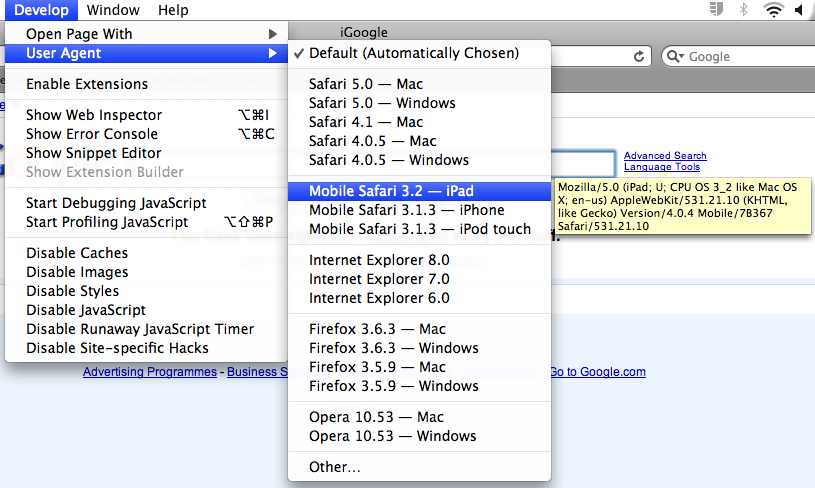
Safari Develop Menu
Do you want to see what an iPad user sees when they look at your website? Well there is a simple way to check it out without buying an iPad on either Windows or Mac:
- Download and install Safari (if you don’t already have it)
- Edit -> Preferences (or Safari -> Preferences on a Mac)
- Go to the Advanced tab
- Check the “Show Develop menu in menu bar” option
- Close the preferences window
- A new “Develop” menu option will appear
- Select “User Agent” and then “Mobile Safari 3.2 – iPad”
It isn’t perfect (hard to simulate rotating the device) and you should also disable Flash, but it gives you a rough impression.
indianapolis web design guy
be sure to also select “show menu bar” or you will never see it.
pepe
It doesn’t work really. I have some really big differences between the really ipad and the “safari ipad” version in some pages.
Shootin' Ugli
I think all it does is change the user agent reported to the site. It doesn’t draw the controls like Mobile Safari does, which is what I’m looking for.
Endre
This only simulates the agent string, not the rendering engine.